Easy Invoice & Estimate Maker
Easy Expense TrackerBusiness
4.8836.00 Reviews
- Version
- 4.42.0
- Installs
- 100.00K
- Age Rating
- Everyone
Screenshots
Our Review of Easy Invoice & Estimate Maker
 Analysis by Appyee
When I choose an invoicing app, I care less about a long feature list than about whether I can make a clear estimate, turn approved work into a bill, and see what still needs attention without interrupting the job. Easy Invoice & Estimate Maker is aimed at that practical routine. It is a business app from Easy Expense Tracker, and its focus is straightforward: help small operators prepare invoices and estimates and keep the paperwork moving.
It is free to install, with in-app purchases ranging from $2.49 to $249.99 per item. That makes it sensible to try the basic workflow before committing to anything paid. The app is rated for Everyone, has a 4.8 average from around 3.1 thousand ratings, and has passed 100 thousand installs. Those figures suggest it has found an audience, but they are not a substitute for checking whether its workflow matches the way you bill.
Choose it for a simple, repeatable billing routine
The key decision is whether you want a focused invoice maker or a broader business system. If you mainly need to prepare a professional-looking estimate, issue an invoice, and keep track of payment status, this app keeps those jobs close together. Its approach suits a freelancer, tradesperson, consultant, or small service business that does not want to build a complicated accounting process just to bill a client.
I would judge it on a few everyday questions: can you set up your business details without fuss, can you make documents that look like they belong to your business, and can you move from a quote to a bill without re-entering the same work? The app’s setup and estimate-to-invoice flow make those criteria central. That is more useful than a dashboard packed with tools you may never touch.
It is currently version 4.19.2 and requires Android 8.0 or later. If you use an older Android device, check compatibility before planning to move your billing onto it. The app is also available on iOS, making it a possible option if you switch between supported mobile platforms, though I would still test the same client workflow on the device you actually use for work.
Where the app earns its place
From the moment I installed this app, I was struck by how intuitive everything felt. You know that rare feeling when you open an app and everything is self-explanatory? That's exactly what happened here. Setting up my account was a breeze. I just had to input some basic info like my business name, address, and tax details.
Once the setup was done, I dove into the dashboard. It's neat and uncluttered, which is a huge plus for someone like me who can get overwhelmed by too many options. The main features are right there: create an invoice, send an estimate, track payments. Simple, straightforward, and effective.
Creating documents that fit the job
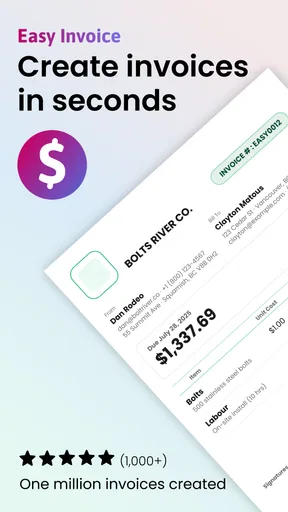
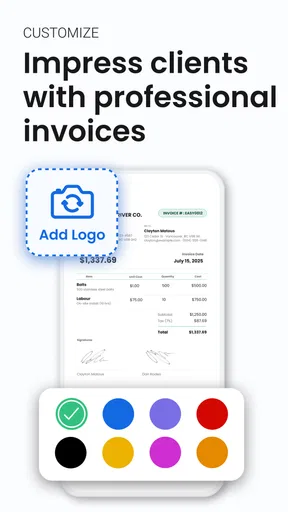
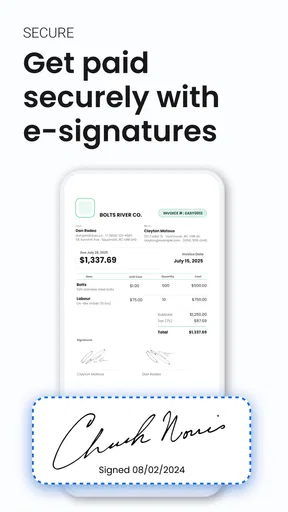
Now, onto the real test: creating an invoice. I clicked on "Create Invoice," and within minutes, I had a professional-looking invoice ready to go. The app lets you customize everything from the color scheme to the logo, so it truly felt like mine. Plus, there are templates galore, which means you don't have to start from scratch every time.
Customization is useful beyond appearance. A consistent logo and color choice can help a client recognize your paperwork, while a reusable template can reduce small errors when you bill similar jobs. My practical tip is to settle on one clear layout early, then focus on accurate descriptions and totals each time. More choices are not automatically better if you spend longer styling a document than checking its details.
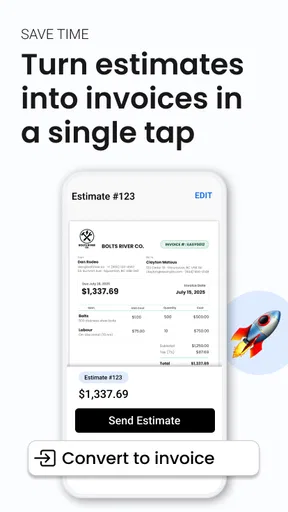
Sending an estimate was just as easy. I particularly liked the option to convert an estimate into an invoice with just one click. Talk about saving time and effort! It's these little touches that make Easy Invoice & Estimate Maker stand out.
That conversion is especially handy when the final work matches the original quote. For example, if I price a small repair in advance and the client approves it, keeping the estimate and invoice connected can spare me from recreating the document. If the scope changes, though, I would review the line items and totals before sending the bill rather than treating conversion as a substitute for checking the final work.
Following payments without losing the thread
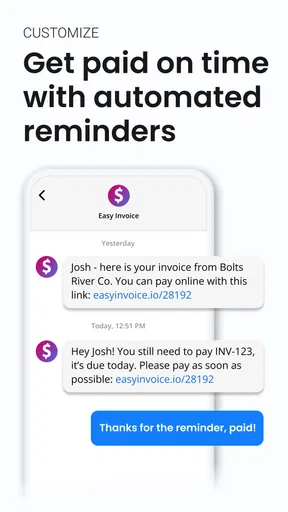
One of my favorite features is the payment tracking. I can't tell you how many times I've lost track of who owes me what. With this app, I can easily see which invoices are pending and which ones have been paid. You can even set up reminders for clients, which is a subtle yet effective way to ensure you get paid on time.
A realistic use is a solo contractor finishing several jobs across a busy week. Instead of relying on memory, I can check the pending list at the end of the day, identify which clients still need an invoice or follow-up, and send a reminder when appropriate. I would still keep a separate record of important business decisions and reconcile payments with my usual bookkeeping process; a status view helps me follow up, but it is not a reason to stop checking the underlying transactions.
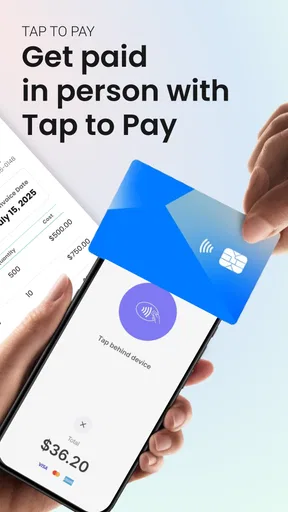
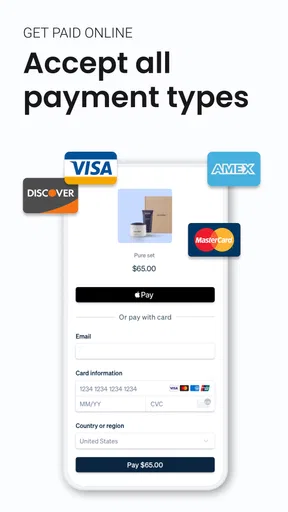
The app also integrates smoothly with various payment gateways. Whether your clients prefer PayPal, Stripe, or direct bank transfers, this app has you covered. It’s like having a personal assistant who never forgets a thing.
In practice, a payment method only helps if it suits both your business and the client. Before relying on a particular route, I would confirm that it is available for the way I work and make sure the invoice clearly tells the client what to do. For people who are paid through several different arrangements, keeping a consistent habit of updating payment status matters as much as having a convenient document tool.
Where it fits better than broader alternatives
Compared with making invoices in a word processor or spreadsheet, a purpose-built app can make the repeat steps feel less improvised: choose a template, prepare the document, and keep its payment status with the rest of the billing routine. A spreadsheet may still be better if you need custom calculations or want to build your own reporting system. A general accounting platform may suit a business that needs bookkeeping and wider financial oversight in one place. I would not choose this app expecting it to replace those tools without checking that the broader requirements are covered.
It is strongest when invoicing is a frequent but contained task, not when your business needs every operation in one system. That distinction is important for growing teams: a clean mobile workflow can be a real advantage for an owner handling jobs personally, but a business with several staff members, complex approval steps, or detailed accounting needs may prefer a fuller platform. The right choice depends on the work around the invoice, not just the invoice itself.
If you are moving from paper or a collection of old templates, reduce switching friction by starting with a small set of current clients and a few representative jobs. Check your business details and tax information carefully, create a sample estimate, and follow it through to an invoice before using the app for live billing. This gives you a chance to catch a layout or process mismatch without migrating every record at once.
Who should use it—and who should look elsewhere
If you're a freelancer, small business owner, or anyone who deals with invoices regularly, this app can be a game-changer. The ease of use, customization options, and comprehensive features make it a must-have tool in your business arsenal. Plus, it’s available for both Android and iOS, so you can manage your invoices on the go.
I see the clearest fit for someone who wants to create estimates and invoices from a phone, prefers a direct interface, and benefits from keeping an eye on unpaid work. It may be less suitable if you rarely invoice, already have a smooth process in a desktop accounting tool, or need a single system to manage more than billing. A person who wants precise control over spreadsheet formulas may also be happier with a spreadsheet, while a team that needs a wider accounting workflow should compare dedicated accounting options before switching.
Another thing I appreciated is the customer support. I had a minor glitch while trying to sync my data and reached out to support. They were prompt, friendly, and resolved my issue in no time. It’s always reassuring to know help is just a message away.
Before making it your only record of client billing, I would test how the app handles the routine you rely on: preparing an estimate, making any needed revision, issuing the invoice, recording payment, and checking what remains outstanding. That simple trial answers the practical question better than a quick look at the home screen. It also helps you decide whether the free starting point is enough or whether any paid options make sense for your own use.
A sensible recommendation, with one caveat
So, would I recommend Easy Invoice & Estimate Maker? Absolutely. It’s not just about simplifying your invoicing process; it’s about enhancing your entire workflow. Whether you’re tech-savvy or not, this app is designed to make your life easier.
My recommendation is strongest for independent workers and small businesses whose main pain point is making clear billing documents and remembering which ones still need attention. The app’s uncomplicated layout and estimate-to-invoice handoff are the parts I would put to work first. I would be more cautious if you need advanced financial management, a fully shared team process, or a replacement for established accounting software; those needs deserve a direct comparison before you move your records.
In a world where time is money, anything that helps you save both is worth its weight in gold. So, go ahead and give it a try. You might just find that it’s the missing piece in your business puzzle.
Verdict
Strengths of Easy Invoice & Estimate Maker
- User-friendly interface simplifies invoicing.
- Customizable templates enhance professionalism.
- Supports multiple currencies for global use.
- Automatic tax calculations save time.
- Easy PDF export for sharing invoices.
Limitations of Easy Invoice & Estimate Maker
- Limited integrations with accounting software.
- Free version has restricted features.
- No offline mode for invoicing on the go.
- Lacks advanced reporting tools.
- Customer support response can be slow.
Other Releases by Easy Expense Tracker
View All
Receipt Scanner: Easy Expense
Business4.8

Automatic Mileage Tracker App
Business4.5
Similar Picks in This Category
View All
LinkedIn: Community & Network
LinkedIn3.8

Zoom Workplace
zoom.com4.1

Microsoft Teams
Microsoft Corporation4.6

Meta Business Suite
Meta Platforms, Inc.4.6

Webex Meetings
Cisco Systems, Inc.4.5

TeamViewer Remote Control
TeamViewer4.4
Frequently Asked Questions
What features does Easy Invoice & Estimate Maker offer?
Easy Invoice & Estimate Maker provides a range of features designed to simplify the process of creating professional invoices and estimates. Users can customize templates, add company logos, save client information, and track invoice statuses. The app also supports various currencies, making it ideal for international business. Additionally, it offers integration with payment gateways for convenient transactions.
Is Easy Invoice & Estimate Maker suitable for all business sizes?
Yes, Easy Invoice & Estimate Maker is designed to cater to businesses of all sizes, from freelancers and small businesses to larger enterprises. Its scalable features allow users to manage multiple clients and projects efficiently. The app's flexibility and customization options make it a versatile tool for any business structure.
Can I use Easy Invoice & Estimate Maker offline?
Easy Invoice & Estimate Maker requires an internet connection for initial setup and to access certain features, such as cloud storage and payment integrations. However, once templates and client information are saved, users can create invoices offline. All changes will sync once a connection is reestablished, ensuring seamless data management.
How secure is the data within Easy Invoice & Estimate Maker?
Security is a top priority for Easy Invoice & Estimate Maker. The app employs robust encryption technologies to protect sensitive information, such as client details and financial data. Regular updates and security patches are implemented to safeguard against potential threats, ensuring that user data remains confidential and secure at all times.
Is customer support available for Easy Invoice & Estimate Maker?
Yes, Easy Invoice & Estimate Maker provides comprehensive customer support. Users can access a variety of resources, including FAQs, tutorials, and live chat support to assist with any queries or issues. The support team is responsive and knowledgeable, ensuring users have a smooth experience while using the app.
